Meet Wiso
Look after your skin, wisely. Your privacy stays with you.
Wiso measures your skin zone by zone, builds a morning and evening routine that fits you, and shows whether a product on the shelf fits that routine. Your photo is processed on your phone, then deleted.

Free to start
Hi, I'm Wiso. Shall we get to know your skin together?
Three things we care about
Your photo stays on your phone
Your phone does the measuring; the photo is deleted as soon as it's done and is never uploaded to a server.
Skincare guidance, not diagnosis
No condition labels. Wiso tells you what it measured, zone by zone, in plain words.
You stay in charge
Wiso suggests, you shape your routine. You can switch off the AI permission whenever you like.
What Wiso does
Measure. Plan. Scan. Ask.
It measures your skin, builds a routine that fits, checks whether a product suits that routine, and answers your questions.
Measure
Get to know your skin, zone by zone
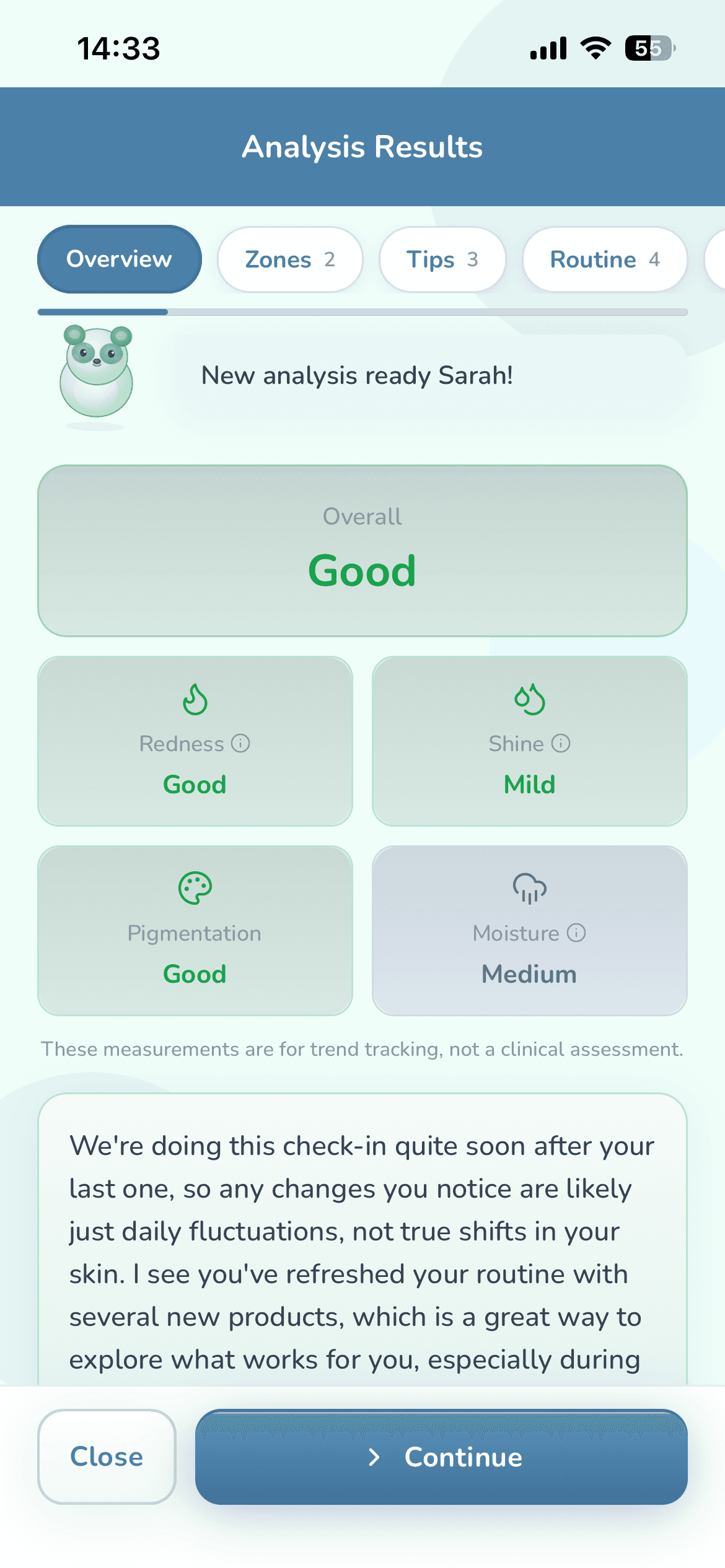
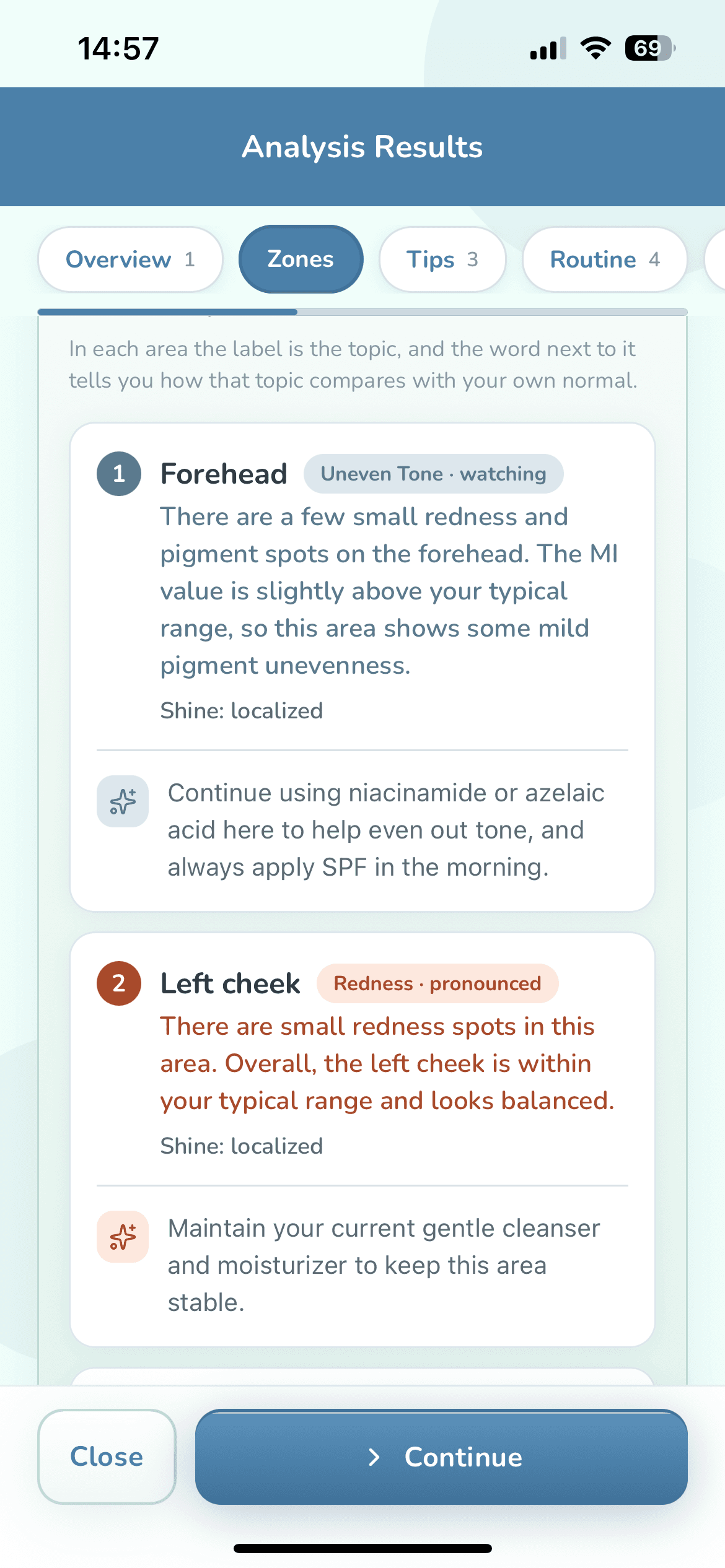
Three quick shots: straight on, turned right, turned left. Wiso reads your forehead, both cheeks, nose and chin separately: redness, shine, pigmentation and a visual moisture estimate. The result isn't a single grade; it moves through Overview, Zones, Tips, Routine and What's next.
- Light changes from photo to photo, so Wiso uses the whites of your eyes as a white reference to correct color.
- Measurements adapt to your skin tone (Fitzpatrick type).
- It compares you with your own starting point, not with other people.
- Something you don't see on your skin? Tap “I do not see this on my skin” and it comes out of the result.
Measurements are for tracking trends, not a clinical evaluation.
Plan
A routine that fits you
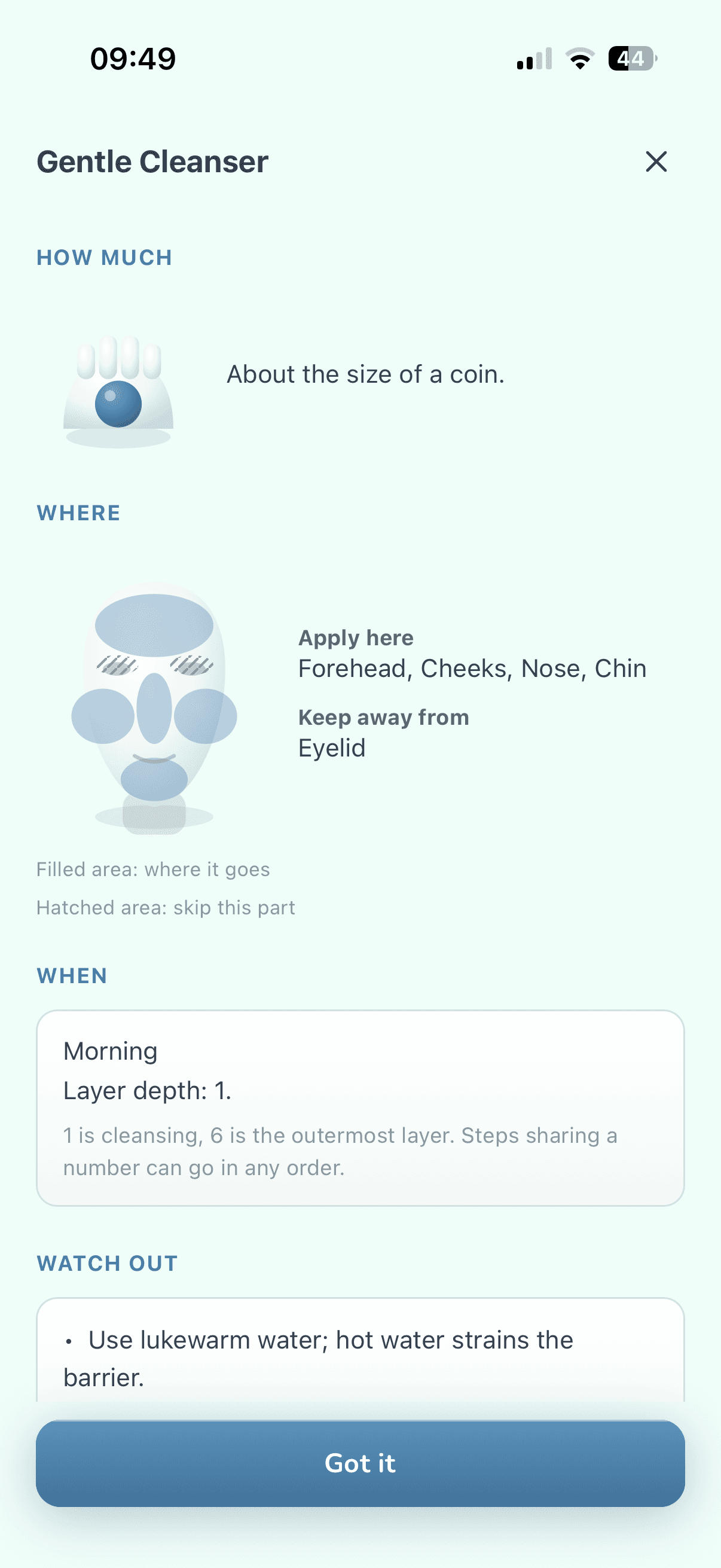
Morning and evening steps for your skin type, goals and lifestyle. For every step: how much, where it goes, what order, and how to ease into strong actives week by week, with simple drawings.
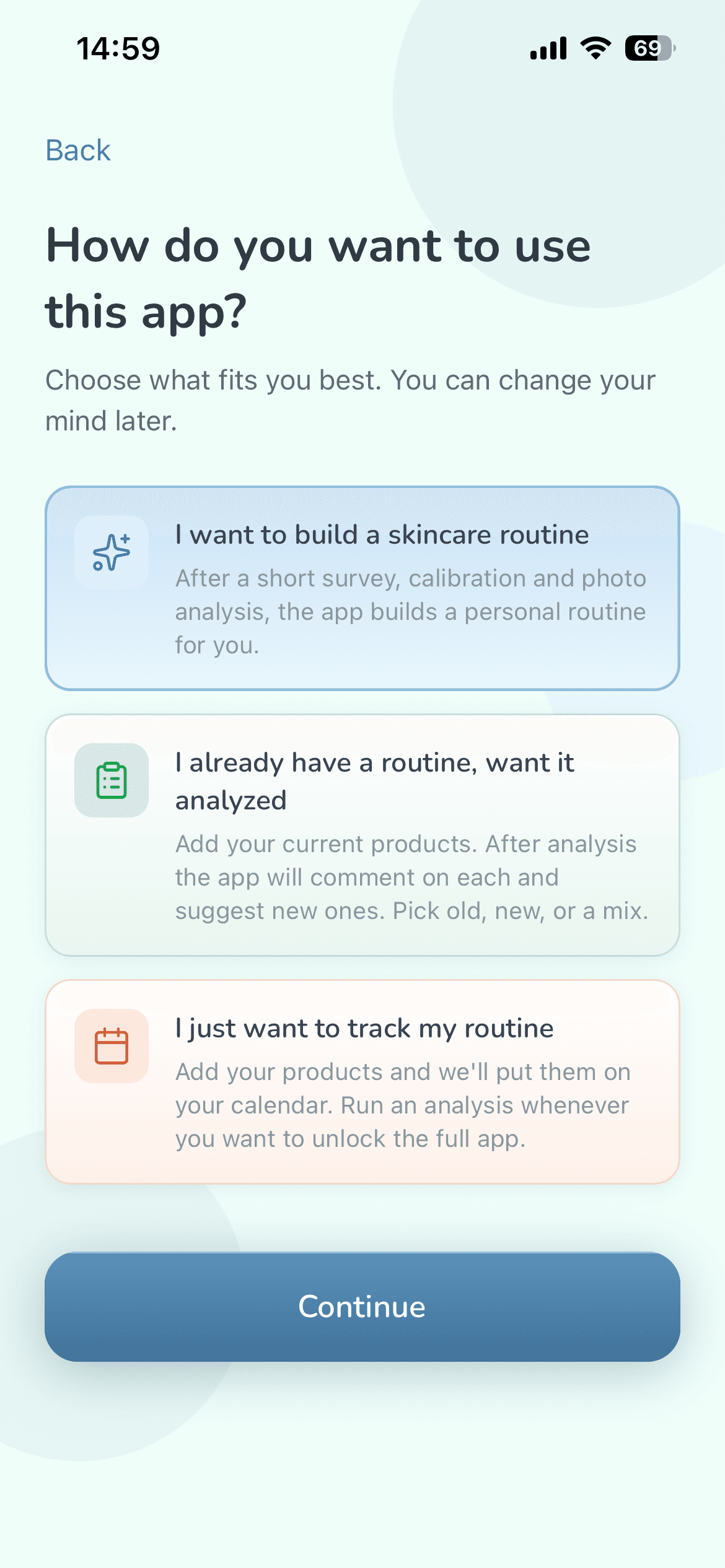
- Already have a routine? Add your products and let Wiso review them.
- Flags what shouldn't be used together.
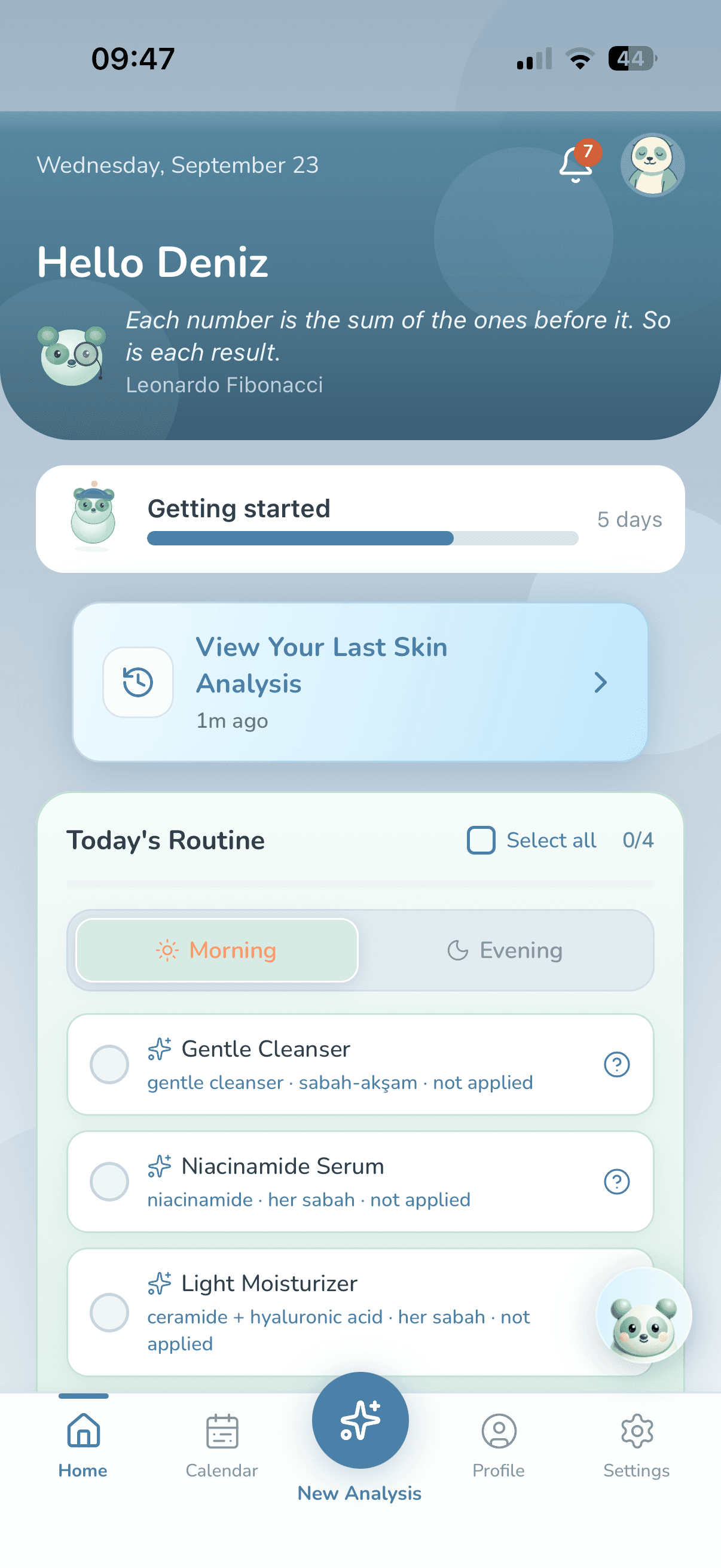
- Reminders arrive in the tone you picked, and stay quiet on days you've already finished.
- Just want to track? You can tick off your routine without any analysis.
Scan
NewScan a product, see if it fits your routine
For the moment you're holding a jar, wondering if it's for you. Scan the barcode, photograph the ingredient list, search by name or paste the list. You confirm the list before anything is assessed.
- See the actives inside, what sensitive skin watches for, and whether it clashes with your routine.
- No scores, no “good or bad” verdicts. Wiso tells you how much of the list it could read, and never claims there are no clashes when part of it went unread.
- Your phone reads the label, and the photo is deleted once it has been read. It reads Korean labels too.
- Three catalog scans a week are free, and reading a label yourself never uses one up.
Ask
Ask Wiso
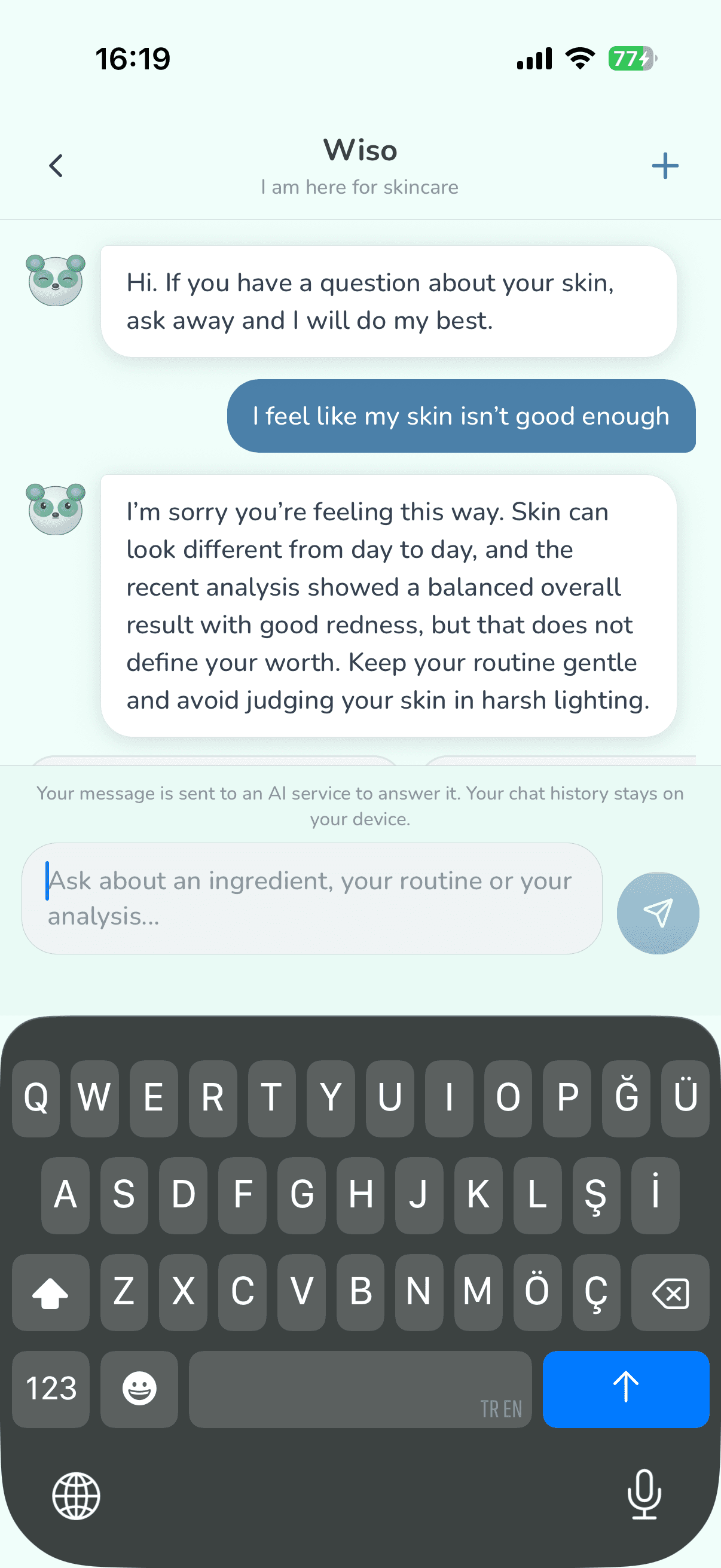
Ask about an ingredient, your routine or your last analysis, straight from the home screen. You also choose how Wiso talks to you.
The same evening reminder, in four tones
- Friendly
Hey, routine time, ready? 🌙
- Warm Dermatologist
Good evening, a good time for the routine. Your barrier focuses on repair overnight.
- Professional Dermatologist
Evening routine time.
- Flirty
Mirror date with you ✨
The tone only changes how Wiso talks; the safety rules are the same in every tone. Wiso is not a doctor.
And more
Small things, every day.
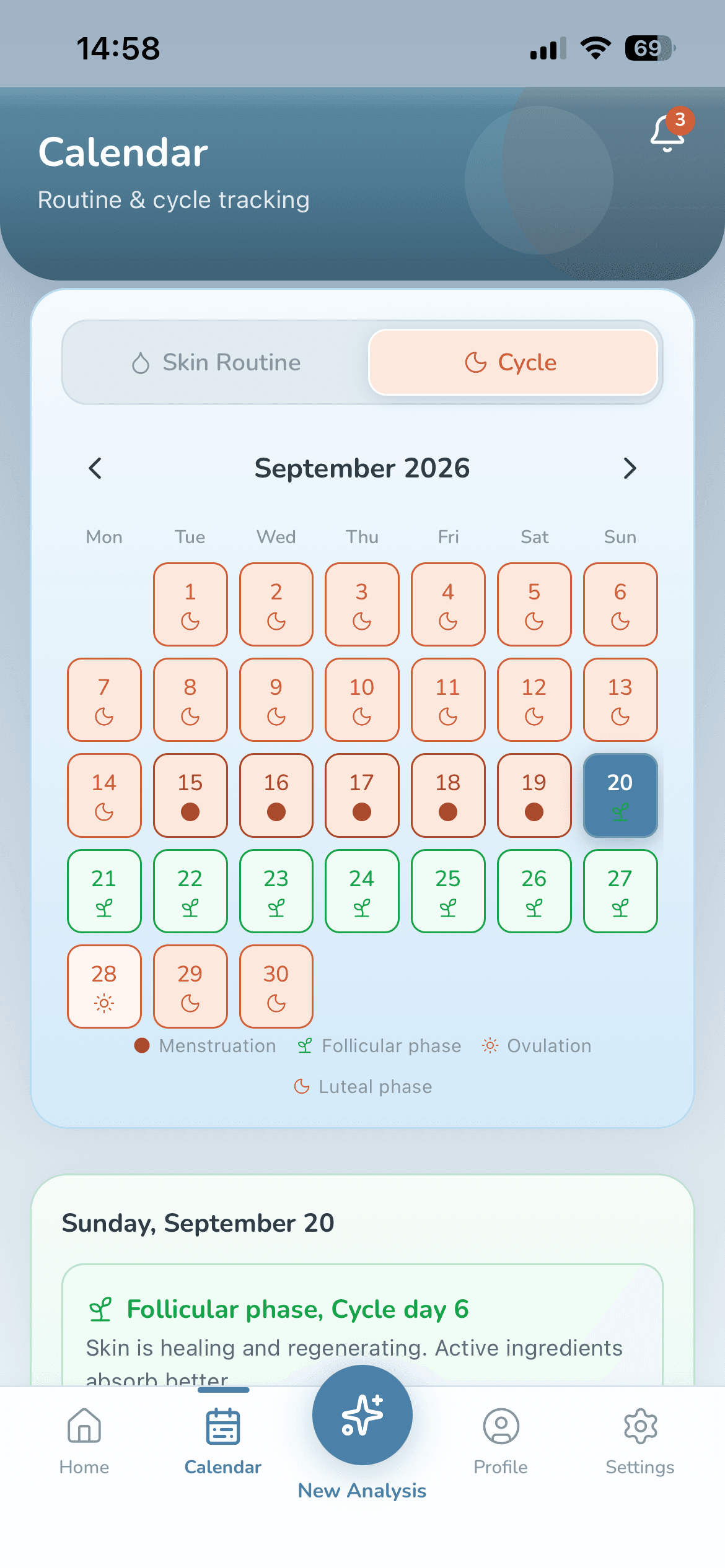
A calendar with colored stars
Every day you finish your routine earns a star, and its color tells you which analysis that routine came from. Plan your next analysis and get a reminder when it's due.
Cycle-aware (Premium)
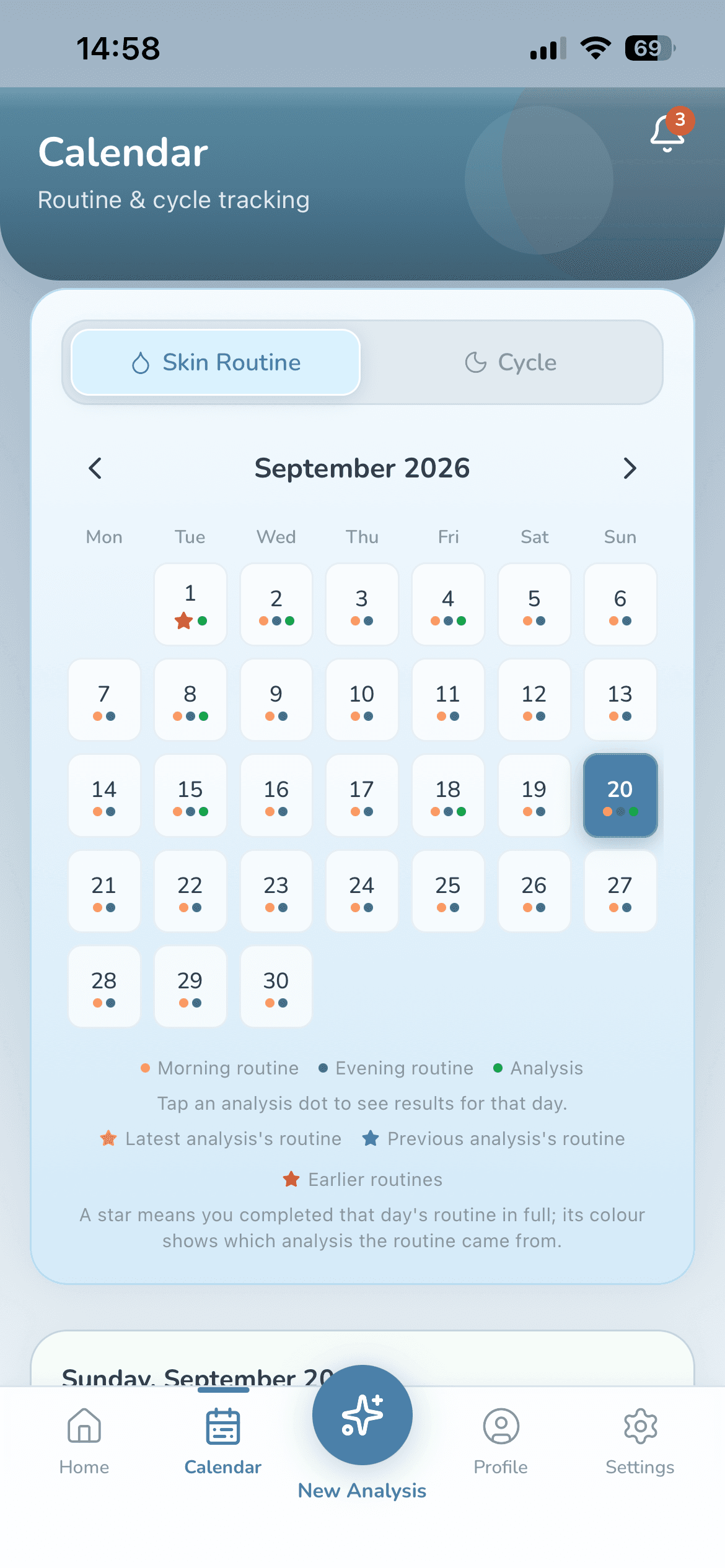
If you like, add the start date of your last period: a cycle calendar, plus what tends to be reported in your current phase, right next to your analysis. If you don't add a date, no cycle information goes anywhere.
Wiso's shelf
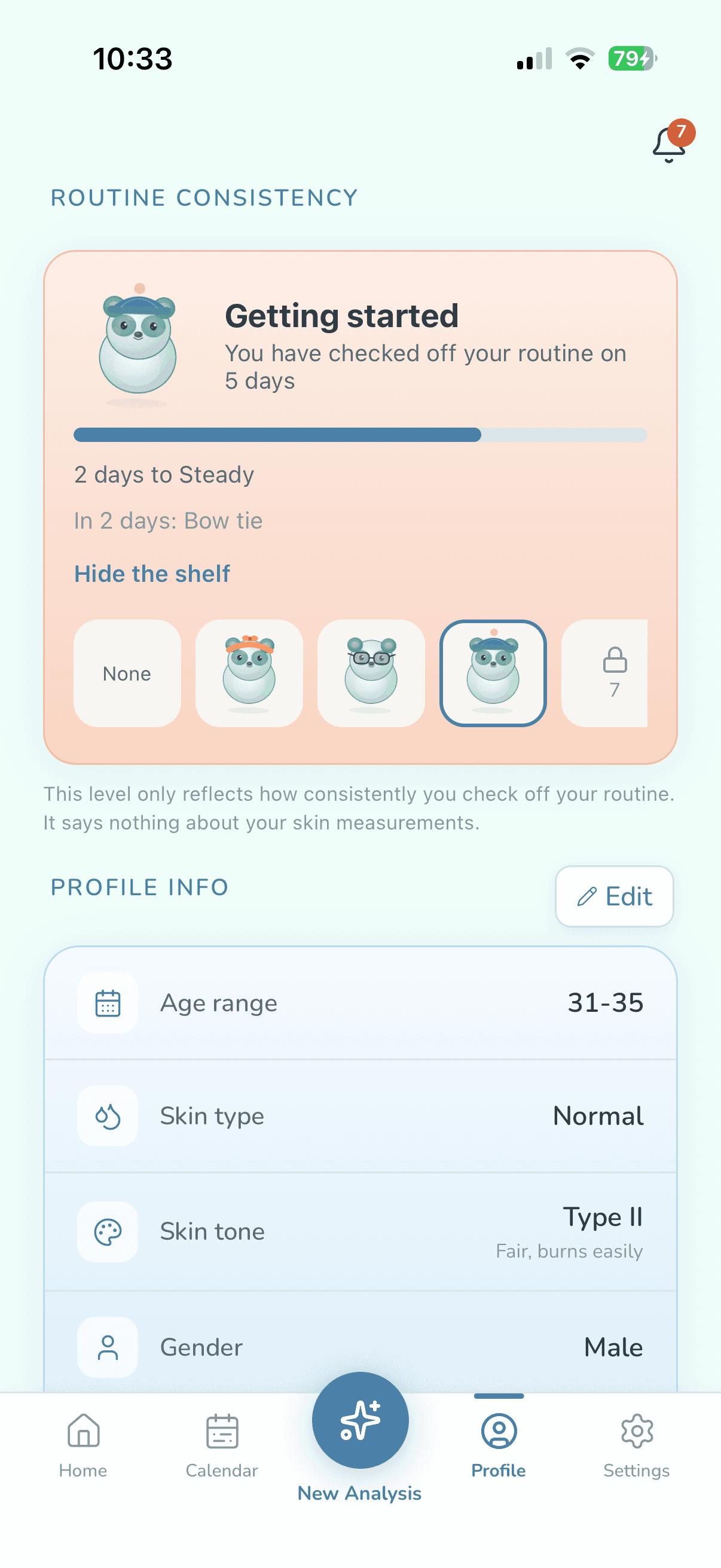
Every day you finish your routine brings Wiso closer to something new for the shelf. The level tracks your consistency, not your skin.
Cloud backup
Sign in and your profile, history and routines are backed up, encrypted, on servers in Europe, and come back on your next phone. An account is optional, and you can turn the backup off anytime.
For every skin tone
Measurement thresholds adapt to your Fitzpatrick skin type.
Turkish and English
The whole app works in both languages; switch anytime in Settings.
Privacy
Where do your photos go? Nowhere.
We're straight with you about how we do things, including what we can't do. Your photo is measured on your phone and deleted as soon as the measurement is done; it is never uploaded to a server.
1 · You take the shots
Three quick shots: straight on, right, left. The photos are written only to the app's own temporary folder and copied nowhere else.
2 · Your phone measures
It finds 468 points on your face, turns the color of 5 zones into numbers and corrects the light against the whites of your eyes. Once the numbers are out, the photo is deleted.
3 · Interpreted with your permission
Your skin metrics and the information you choose to share in the app (never images) go to the AI to produce your guidance. If you don't give permission, routine tracking keeps working.
4 · You decide
Wiso explains what was measured in plain words. The AI's job isn't to measure but to explain what was measured, so the numbers aren't made up.
Numbers instead of adjectives
- 468facial landmarks
- 5facial zones
- 3,778ingredients
- 31conflict rules
- 25reference sources
- 17,868product barcodes
Never leaves your phone
- Your face photos
- Your product label photos
- Your face points and skin mask
Your location coordinates aren't sent to us or the AI either; only the city name is used.
What leaves, with your permission
Your skin metrics and the information you choose to share in the app (never images). That's why we don't say “fully anonymous”: your photo stays on your phone, but the health details you allow are sent too, to personalize your guidance. The full list, and who receives what, is in the Privacy Policy.
Our promises
- We never upload your photo to a server.
- We don't sell your data.
- We don't make you create an account.
- We don't diagnose; WisoCare is not a medical device.
- You can turn off the AI permission anytime; routine tracking keeps working.
- You can delete your account and your data from inside the app.
- You can use your rights under KVKK and GDPR (access, deletion, objection).
Medical disclaimer
WisoCare is not a medical device; it does not diagnose or treat. If you have a concern about your skin, see a dermatologist.
Free & Premium
Start free. Go Premium if you like.
| Feature | Free | Premium3-day free trial |
|---|---|---|
| Skin analysis | First one right away, then every 45 days | Unlimited, no waiting |
| Morning and evening routine, calendar, reminders | Included | Included |
| How-to guide for each step | Included | Included |
| Chat with Wiso | With a daily limit | Higher daily limit |
| Product scans by barcode or name | 3 a week | Unlimited |
| Label photos and typed lists | Unlimited | Unlimited |
| Web search for products we don't have | Not included | Included |
| Clash alerts | Included | Included |
| Clash details | For the routine from your analysis | Across all your products |
| Scheduling around clashes | Not included | Included |
| AI check for pairs not in our rule table | Not included | Included |
| History-aware AI | Not included | Included |
| Cycle calendar and cycle notes | Not included | Included |
| Ads | After an analysis, at most once a day | None |
Free
- Skin analysisFirst one right away, then every 45 days
- Morning and evening routine, calendar, reminders: Included
- How-to guide for each step: Included
- Chat with WisoWith a daily limit
- Product scans by barcode or name3 a week
- Label photos and typed listsUnlimited
- Web search for products we don't have: Not included
- Clash alerts: Included
- Clash detailsFor the routine from your analysis
- Scheduling around clashes: Not included
- AI check for pairs not in our rule table: Not included
- History-aware AI: Not included
- Cycle calendar and cycle notes: Not included
- AdsAfter an analysis, at most once a day
Premium
3-day free trial- Skin analysisUnlimited, no waiting
- Morning and evening routine, calendar, reminders: Included
- How-to guide for each step: Included
- Chat with WisoHigher daily limit
- Product scans by barcode or nameUnlimited
- Label photos and typed listsUnlimited
- Web search for products we don't have: Included
- Clash alerts: Included
- Clash detailsAcross all your products
- Scheduling around clashes: Included
- AI check for pairs not in our rule table: Included
- History-aware AI: Included
- Cycle calendar and cycle notes: Included
- AdsNone
WisoCare Premium is an auto-renewable monthly or yearly subscription, with a 3-day free trial for eligible users. Payment is charged to your Apple ID and renews automatically unless cancelled at least 24 hours before the period ends. Manage or cancel anytime in your Apple ID settings. See the current price on the App Store.
Your photos stay on your phone on both plans.
FAQ
Questions people ask
Is WisoCare free?
Yes, it's free to start. Your first analysis happens right away; after that the free plan gives you one analysis every 45 days, and the routine, calendar, reminders and three catalog scans a week are free too. Premium removes the waiting period and the scan limit and turns off ads; eligible users can try it free for 3 days.
Is my photo uploaded anywhere?
No. The photo is written only to the app's own temporary folder and deleted as soon as its measurement is done. If you stop halfway through the three shots, the frames are kept for at most 30 minutes so you can pick up where you left off, then deleted.
What is sent to the AI?
Only if you allow it: your skin metrics and the information you choose to share in the app, never images. Your photo, face points and skin mask are never sent. The detailed list is in the Privacy Policy.
Do I need an account?
No. If you create one (Apple, Google or email), your profile, history and routines are backed up, encrypted, in Europe and come back on your next phone. Turn the backup off in Settings and the cloud copy is deleted.
Can I just track my routine without an analysis?
Yes. When you start, pick “I just want to track my routine”: add your products, they go on your calendar, and you tick off your routine each day. No analysis needed. Reminders work on this path too, and you can run your first analysis whenever you like.
Does it diagnose skin conditions?
No. WisoCare is a skincare and wellness companion, not a medical device; it doesn't name conditions or suggest treatment. If you have a concern about your skin, see a dermatologist.
How does product scanning work?
Scan the barcode, photograph the ingredient list, search by product name or paste the list. Your phone reads the label, and nothing is assessed until you confirm the list. Wiso shows the actives, what sensitive skin watches for and any clashes with your routine. No scores, no “good or bad” verdicts.
Does it show whether my products can be used together?
Yes. It flags ingredients that shouldn't be used together across your routine and the products you scan. For the routine from your analysis you see which product, which ingredient and why for free; for products you scan or add yourself, those details come with Premium. Scheduling around a clash is a Premium feature too.
Does it use my location?
Only if you allow it. Your city is worked out from your location, and its temperature, humidity and UV give your recommendations context; your coordinates aren't sent to us or the AI. If you don't allow it, you can type your city or skip it. You can withdraw the permission anytime in your iPhone Settings.
Is it on Android?
It's iPhone only for now (iOS 15.1 or later).
How old do I need to be?
16 or older. The app uses health details such as allergies, medication, pregnancy and your cycle, with your explicit consent, to produce guidance, so we set the minimum age at 16.
How do I cancel Premium?
On your iPhone, go to Settings > [your name] > Subscriptions. Cancel at least 24 hours before the trial ends and you won't be charged.
How do I delete my data?
If you have an account, “Delete Account” in Settings deletes your account, your cloud backup and the data on your phone. Without an account, “Delete all data” in Profile clears the data on your phone.
Which languages is it in?
Turkish and English. You can switch the language anytime in Settings.
Ready? Let's look after your skin, wisely.
On the App Store. Whenever you're ready, Wiso is too.

Free to start